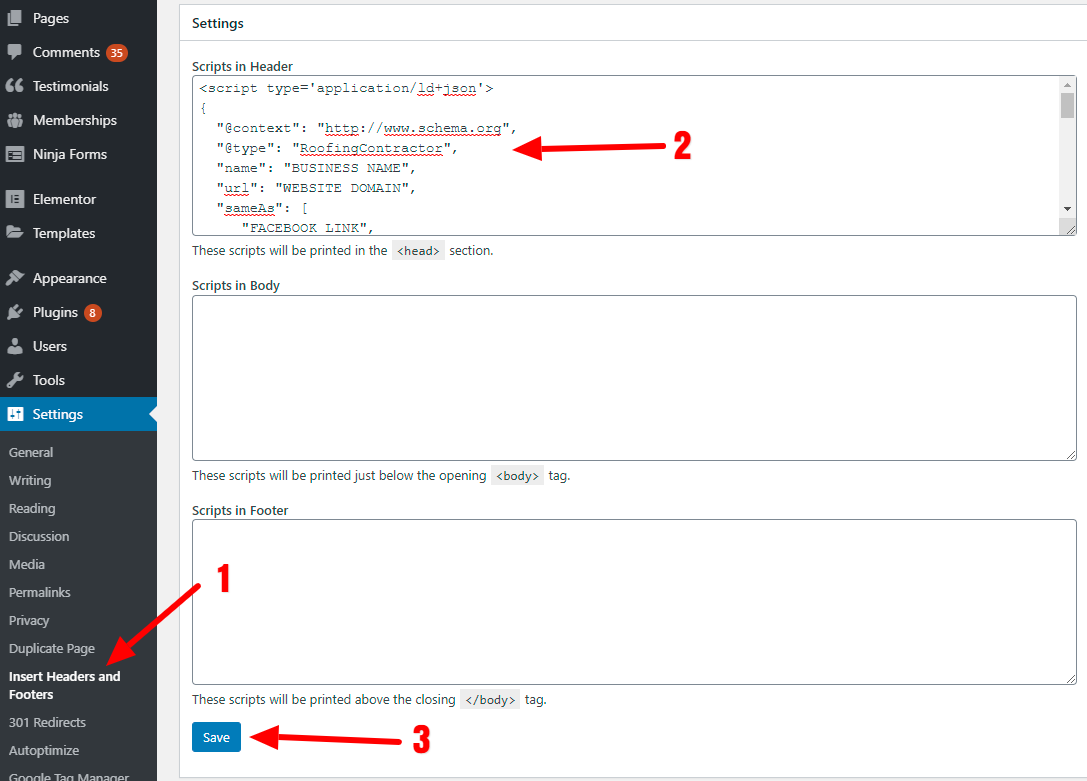
In these notes, I’m just going to touch on the fields that maybe a little foreign to you.
In the first drop-down menu select “LocalBusiness”.
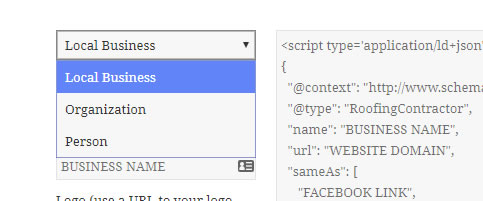
TYPE:
If you can’t find a specific “Type” for your business In the next drop-down, just leave it empty… its not a big deal. (“Local Business” is much more important)
NAME:
Enter your business name as it appears on Google My Business (Exactly)
LOGO:
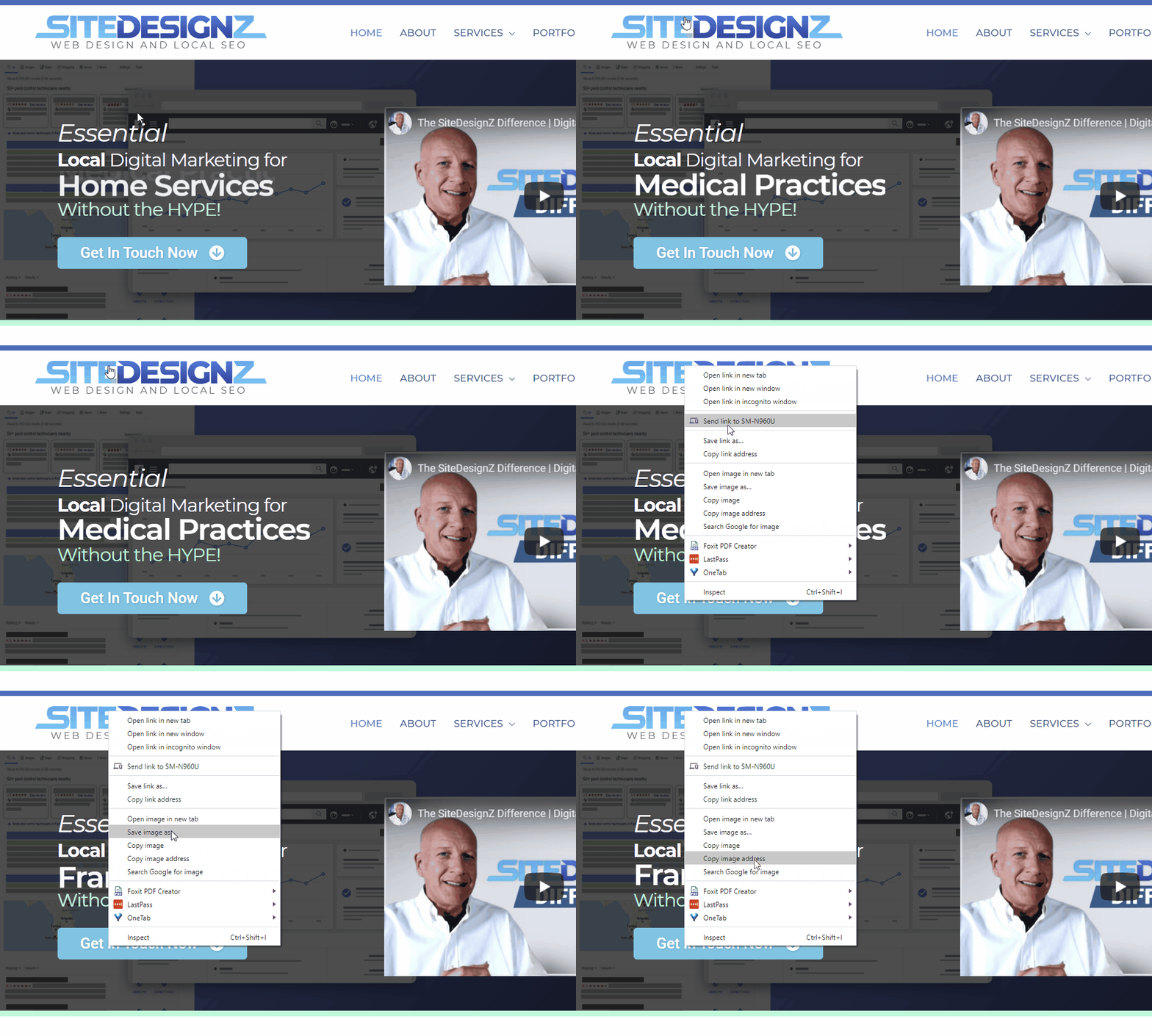
Here they need a link to the logo. Easiest way to do this is just grab it from your site.
You can do this by:
- Right clicking on the image (Logo)
- Clicking “copy image address” from the menu that appears
DESCRIPTION:
Write a decent description of your business to include the core keywords.
ADDRESS, CITY, STATE, ZIP
When you enter this, fill in exactly as you have it on your GMB profile…EXACTLY
LATITUDE & LONGITUDE
If you had GEO tagged your photos, you are familiar with getting your coordinates. If not, here is a refresher:
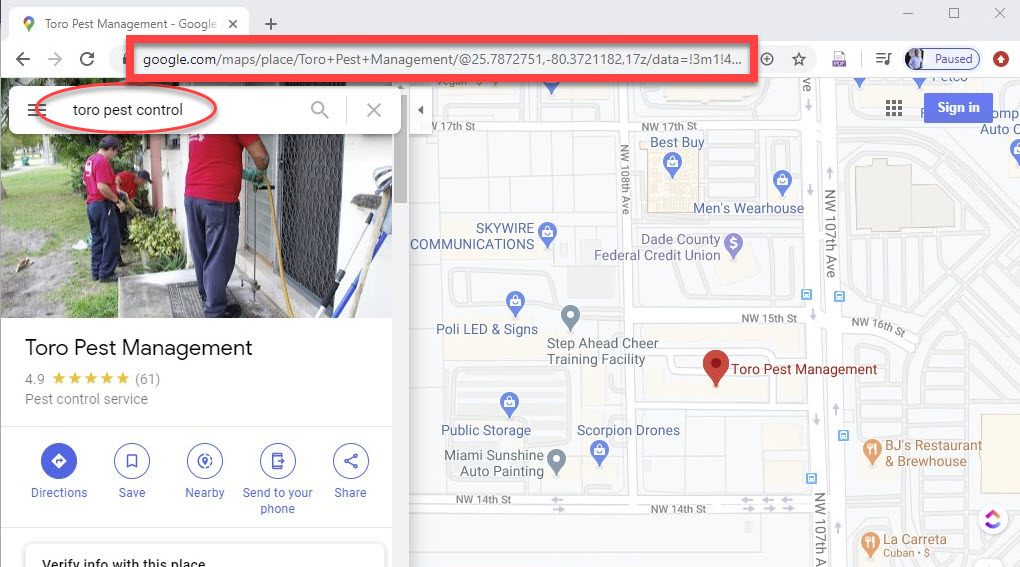
- Search your business on Google Maps
- Right click on the location pin
- Select “Whats Here?”
- Get coordinates

Map URL
Continuing from the steps above, simply copy the map URL from the browser window and paste it into the Map field.
BUSINESS HOURS
Enter the hours your business is open.
PRICE RANGE
Unless you are really cheap, most just enter the “$$” for price.
IMAGE URL
Simply follow the same steps form the “Logo URL” above, HOWEVER, right cick on any image on your website that will visually show off your business.
Preferably use an image from your site that is also on GMB.
EVEN BETTER…have the image GEO tagged (See Image Optimization).
TELEPHONE
Here, enter the primary number you have on GMB and your website.
URL
This is simply your domain name for your business.
EX: https://www.mybusiness.com
ADD SAME AS URL
If you have social media accounts, you can add them here.
- Add a new Same As URL for each one.
- Simply put in the domain path for the page.
EX: https://www.facebook.com/sitedesignz
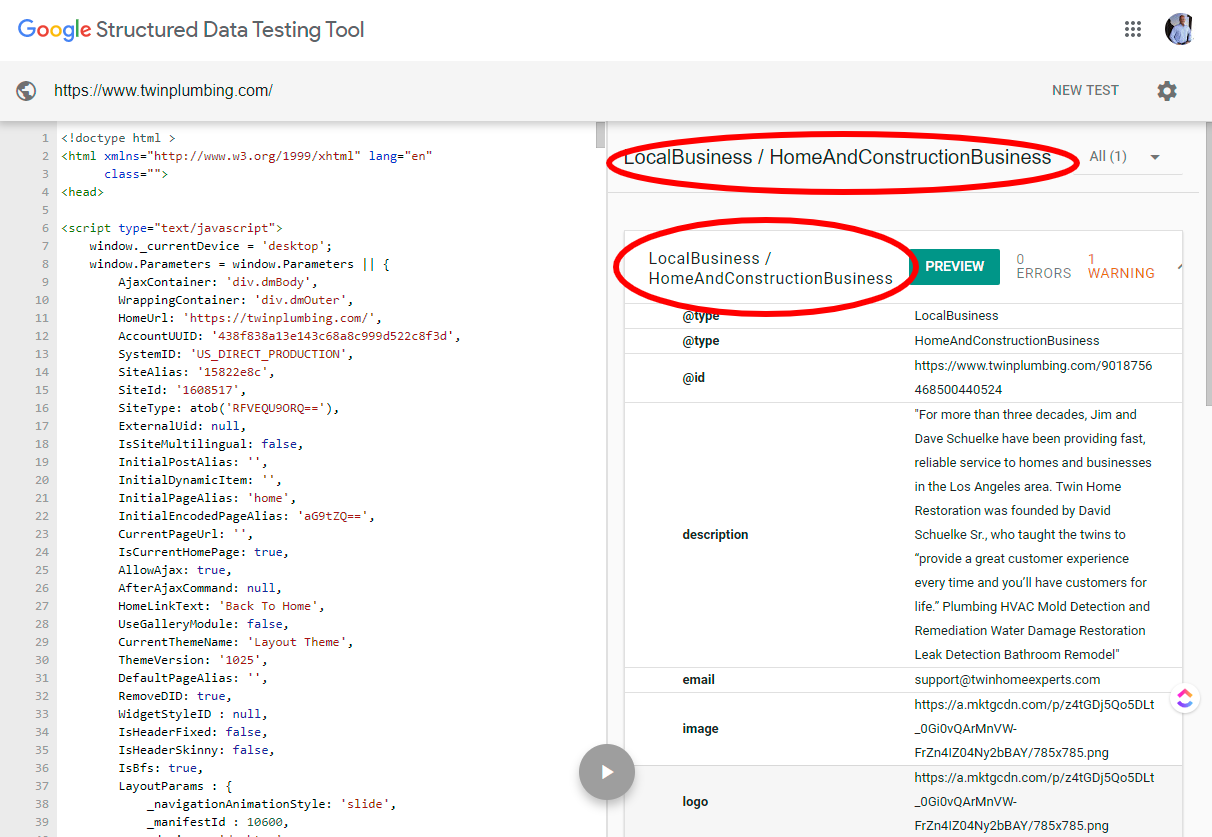
So does your site even have Schema formatting on it?
Let’s check.
Go to https://search.google.com/structured-data/testing-tool/u/0/
Run a test and see if it pops up the “local business” Schema on the right panel.
Example:
- Go to “Plugins”
- Select “Add New”
- Search for “headers and footers”
- Install “Insert Headers and Footers”
- Activate the plugin after installed
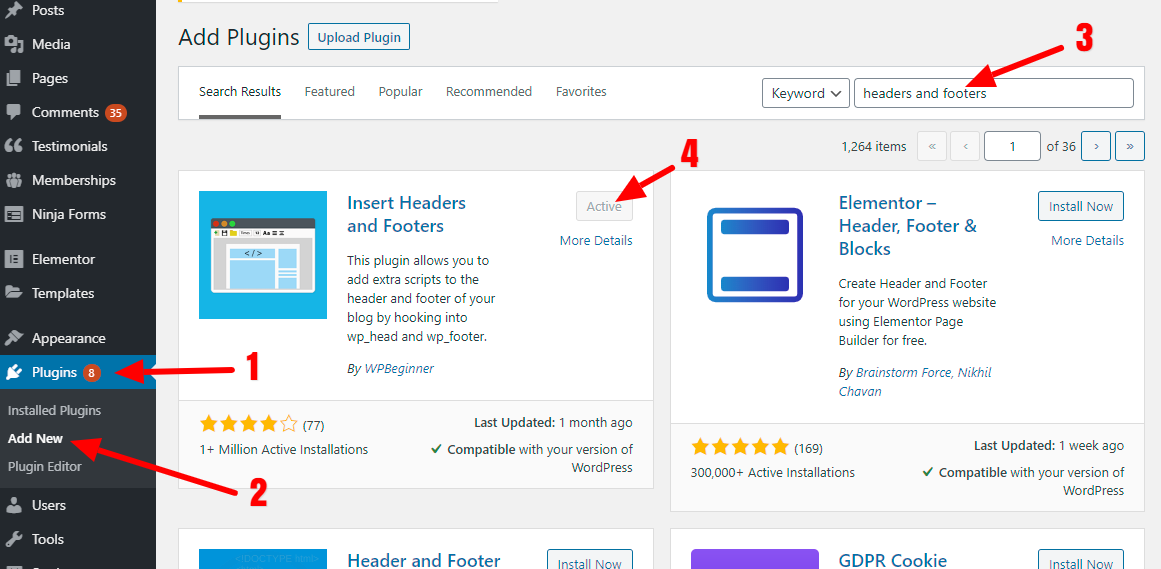
Once you have that installed:
- Go to the Headers and Footers add-on page in the nav on left
- Paste your generated Schema code
- Click save